
Galileo: Medical Care
Galileo HealthMedical
4.8775.00 Reviews
- Version
- 2026.08.21
- Installs
- 100.00K
- Age Rating
- Everyone
Screenshots
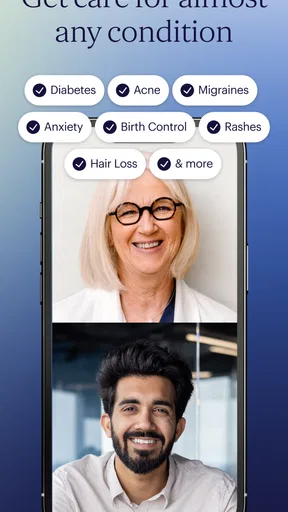
Our Review of Galileo: Medical Care
 Analysis by Appyee
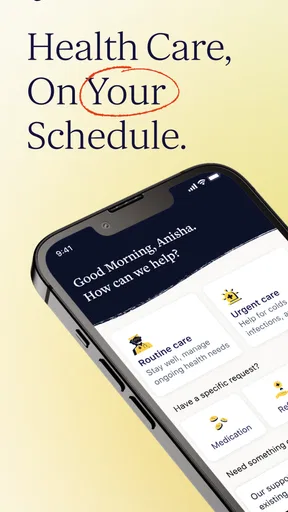
I came away from using Galileo: Medical Care with the impression that it is designed for the moments when finding medical guidance feels harder than the problem itself. It is a free medical app from Galileo Health, built around access to care rather than around fitness tracking, symptom trivia, or a digital record cabinet. That focus makes it appealing when you want to speak with a healthcare professional without immediately arranging a traditional appointment.
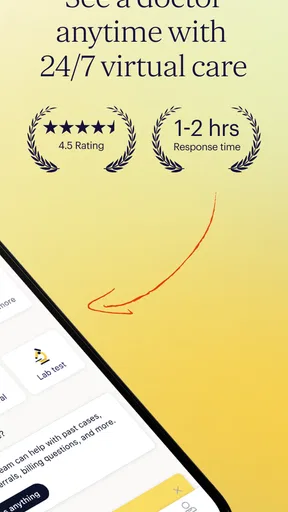
The app’s central promise is simple: medical care available around the clock. In practice, that makes it most interesting for everyday health concerns, questions that appear outside office hours, and situations where you need help deciding what to do next. I would not treat it as a replacement for emergency services or in-person examination, but I found its value in reducing the uncertainty between “I should probably ask someone” and “I know where to go from here.”
How Galileo feels in current use
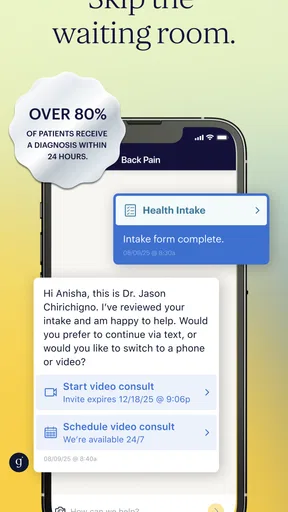
The first thing I noticed is that the experience is organized around getting help, not browsing a large collection of medical content. That distinction matters. Many health apps make users search through articles, log symptoms repeatedly, or build a profile before they can do anything useful. Galileo’s medical-care approach feels more direct: you come with a concern, explain it in ordinary language, and use the service to work toward a professional response.
That directness is especially useful for issues that are important but not obviously urgent. A new rash, a lingering cough, a medication question, or a concern about whether a symptom deserves attention can create a lot of hesitation. I like the idea of having a structured place to describe the situation instead of relying on a random web search. Search results can be informative, but they also tend to show the most alarming possibilities first and rarely understand the person asking.
Galileo is listed in the medical category, and the app is suitable for Everyone. Those details match the way I would position it: it is intended for ordinary people looking for healthcare support, not for clinicians managing a hospital workflow. The interface and purpose are easier to understand if you think of it as a digital doorway to care rather than as a self-diagnosis tool.
One practical strength is the potential to use it at inconvenient times. A traditional clinic may be closed when a question comes up, while an urgent-care visit can feel excessive for something that still deserves professional attention. The service sits in that uncomfortable middle ground. It can help you decide whether the concern can be handled through remote care, whether you need an appointment, or whether the situation sounds serious enough to require faster action.
A realistic evening use case
Imagine noticing that a child has developed a spreading skin irritation after school. There is no immediate sign of a life-threatening emergency, but waiting several days without guidance feels wrong. I would use Galileo to describe when the irritation began, where it appeared, whether it changed, and any relevant exposure or symptoms. I would also prepare a clear photograph if the service allows that kind of information in the relevant care flow, while remembering that an image cannot replace an examination.
The useful part of this scenario is not receiving a dramatic diagnosis. It is getting a professional perspective on the next step. A remote clinician may be able to explain what can be monitored, what information matters, and when an in-person visit becomes necessary. That can prevent both underreacting and making an unnecessary late-night trip. The trade-off is that the quality of remote guidance depends heavily on the detail and clarity of what you provide.
For that reason, I recommend writing down the timeline before starting a consultation. Note the first symptom, what has changed, anything already tried, and any relevant medicines or allergies. This small preparation step is one of the most useful ways to get more from Galileo. It turns a rushed description into a concise medical history and reduces the chance that an important detail gets forgotten.
What the current version suggests
The current version is 2026.08.21, which tells existing users that the app is still being maintained as a current product rather than sitting untouched after its initial launch. Galileo first appeared on September 24, 2019, so it has had time to move beyond the novelty stage of telehealth. I see that history as encouraging, but I would separate the fact of ongoing versioning from assumptions about any particular new capability.
For someone installing it today, the minimum operating-system requirement is Android 9. That is a reasonable threshold for many devices, but owners of older phones should check compatibility before planning around the service. The version information also matters to long-time users: if an update changes navigation or the way care requests are presented, an established workflow may feel different even when the overall purpose remains the same.
I would not judge the app solely by its version number. In a healthcare product, stability, clarity, and the ability to communicate a concern matter more than a long list of visible features. Still, regular maintenance can affect practical details such as sign-in reliability, device compatibility, and how smoothly a consultation progresses. Those are the areas I would pay attention to after installing an update.
Who benefits most from it
Galileo is a strong fit for people who want a convenient first point of contact for non-emergency medical concerns. It can be particularly useful for busy adults, caregivers coordinating questions for family members, and anyone who has difficulty fitting a conventional appointment into the day. It also makes sense for people who prefer to begin with a written explanation rather than trying to remember every detail during a short phone call.
It may also help users who need continuity in how they explain recurring concerns. If you frequently deal with the same type of question, keeping your descriptions organized before contacting care can make each interaction more efficient. I would still keep my own list of medicines, previous diagnoses, and important dates outside the app as well. A healthcare app should support your records, not become the only place where you remember them.
The app is less suitable for a person who wants a comprehensive personal health-management suite. If your priority is exercise tracking, nutrition logging, fertility charts, sleep analysis, or a detailed medical-record archive, Galileo’s care-first identity may feel narrow. A specialized app can be better for those jobs. Likewise, anyone who strongly prefers face-to-face examinations may see remote care as a useful backup rather than a primary option.
How it compares with usual alternatives
The most obvious alternative is a regular primary-care appointment. That option remains better when a physical examination, testing, imaging, or a detailed review of long-term history is important. Galileo’s advantage is speed and convenience for concerns that can reasonably begin through remote communication. Its limitation is the same one shared by telehealth generally: a clinician cannot assess everything through a screen or message.
Another alternative is an urgent-care clinic. Urgent care is more appropriate when the problem needs hands-on evaluation or when symptoms are worsening and waiting for a digital response would be unwise. Galileo can be a better first move when the concern is not clearly urgent and you mainly need professional direction. The decision should be based on the symptoms, not on the convenience of the app.
Free symptom-search websites are easier to access, but they usually give broad possibilities rather than individualized guidance. I find them useful for learning vocabulary before a conversation with a clinician, not for deciding what a particular symptom means. Galileo’s meaningful difference is the connection to medical care. That connection is also why users should describe their situation accurately instead of trying to steer the conversation toward a diagnosis they found online.
Video-consultation services may be preferable for people who communicate better face to face. A messaging-centered interaction can be more convenient for a careful timeline, while a video call may make it easier to explain visible symptoms or ask follow-up questions in real time. If you are choosing between services, think about the kind of communication your concern requires rather than selecting only by brand familiarity.
Small habits that improve the experience
My first tip is to separate the main question from background information. Start with what worries you most, then add the timeline, severity, changes, and relevant context. A long paragraph containing every detail can be harder to interpret than a short, organized account. This is especially important when you are tired or anxious and want a useful response without several rounds of clarification.
My second tip is to treat the app as a care conversation, not a vending machine for prescriptions. Ask what the next step should be, what warning signs deserve attention, and what information would change the recommendation. This approach produces more useful guidance than simply asking for a named treatment. It also keeps expectations realistic when the right answer is an in-person appointment.
My third tip is to use Galileo before the situation becomes confusing, when possible. If a symptom has been changing for days, record that progression while the details are fresh. If you are asking about a medicine, have the exact name and dose available. If another provider has already given you instructions, mention that context. These habits are not flashy features, but they make remote care more precise and reduce avoidable back-and-forth.
A further trade-off is privacy and attention. Any medical-care app requires you to think carefully about the information you enter and the device you use. I would avoid submitting sensitive details while connected to a public device, and I would review each message before sending it. The convenience of digital care should not encourage careless sharing or replace your own judgment about which details are necessary.
Where friction can remain
The biggest limitation is inherent to the format. A remote interaction may not be enough for symptoms that require touch, listening with a stethoscope, testing, or immediate observation. Even a very clear description has boundaries. Users should not wait for an app response when they have severe breathing trouble, signs of a stroke, major injury, severe allergic reaction, or another emergency. In those situations, emergency help is the appropriate route.
There is also a psychological limitation. People often download medical apps when they are worried, and worry can make every delay feel unacceptable. Galileo may make access easier, but it cannot guarantee that every concern will be resolved in one exchange. Some cases will still need a clinic, specialist, laboratory work, or emergency evaluation. I consider that a responsible outcome rather than a failure, provided the recommendation is clear.
Users should also be prepared for the possibility that their first description is not enough. Medical language is full of details that seem minor but change the interpretation: age, duration, previous conditions, recent travel, medicines, pregnancy status, or a new exposure. If Galileo asks follow-up questions, answering carefully is part of the care process. Rushing through them can make the digital experience less helpful than it could be.
Another consideration is personal preference. Some people dislike typing about health problems or find it difficult to describe visual symptoms. Others may feel more comfortable speaking with a familiar doctor who already knows their history. Galileo is not automatically better because it is more convenient. It is better when its remote format matches the problem and the way you prefer to communicate.
What existing users should expect from continued development
For people who have used Galileo for years, the important question is not simply whether the app receives updates, but whether those updates make care easier to navigate. I would watch for improvements in the path from describing a concern to understanding the recommended next step. Clearer status information, better organization of previous conversations, and smoother transitions when remote care is not enough would have practical value.
New users should not assume that a current version changes the medical limits of the service. A modern interface can make a consultation more comfortable, but it does not turn remote care into a physical examination. The safest way to evaluate each update is to ask whether it improves clarity, accessibility, and continuity while keeping the boundaries of digital care visible.
The app’s public response is encouraging: it has an average rating of 4.8 from around five thousand ratings, with more than seven hundred written reviews and over one hundred thousand installs. I treat those figures as signs of meaningful adoption and satisfaction, not as proof that every user will have the same experience. Medical needs vary too widely for a rating alone to answer whether the service suits you.
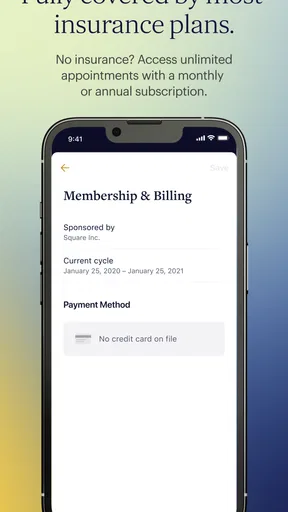
It is also worth remembering that free does not mean every healthcare situation becomes cost-free or fully covered. The app itself is free to install, but healthcare decisions can involve separate services, appointments, tests, or treatment arrangements. Before relying on it for an ongoing issue, I would make sure I understand how the care pathway fits my own healthcare access and budget.
My recommendation
I recommend Galileo to readers who want a convenient way to begin a conversation about ordinary medical concerns and who understand when remote care is not enough. Its strongest quality is focus: it is not trying to be a general wellness dashboard. It is built around helping people reach medical guidance, which gives it a clearer purpose than many health apps.
I would skip it as a primary solution if you need emergency treatment, a hands-on examination, extensive specialist care, or a complete health-record system. In those situations, emergency services, a local clinician, or a more specialized tool is the better choice. I would also avoid using any digital health service as a substitute for your own doctor when you already have an established care plan that requires continuity.
For everyone else, the sensible approach is to keep expectations practical. Prepare your question, describe the timeline, answer follow-ups honestly, and use the guidance to choose the next step rather than to chase certainty from a screen. With that mindset, Galileo Health’s app can be a useful bridge between a worrying symptom and appropriate care. Its free access, Everyone age rating, and ongoing current-version support make it easy to try, while its real value depends on using it for the kinds of questions remote medical care can genuinely handle.
My bottom line: Galileo is most worthwhile when convenience and professional direction matter, but judgment still matters more than the app. I would keep it available for non-emergency questions, use it alongside—not instead of—my broader healthcare options, and pay close attention to any recommendation that calls for in-person evaluation.
Verdict
Strengths of Galileo: Medical Care
- Quick access to doctors through video consultations and messaging.
- Helps manage appointments, prescriptions, and medical records in one place.
- Useful for follow-up care without needing to travel to a clinic.
- May connect users with specialists across different medical fields.
- Clear digital communication can make routine care more convenient.
Limitations of Galileo: Medical Care
- Availability and services may vary depending on your location and provider.
- Not suitable for emergencies or conditions requiring a physical examination.
- Some features may require an active Galileo membership or insurance coverage.
- Video visits depend on a stable internet connection and compatible device.
- Users may still need separate in-person appointments for lab work or procedures.
Similar Picks in This Category
View All
WebMD: Symptom Checker
WebMD, LLC4.1

Microphone Amplifier
DOSA Apps4.2

Anatomy Learning - 3D Anatomy
3D Medical OU4.5

Period Tracker and Calendar
SimpleInnovation4.9

GoodRx: Prescription Coupons
GoodRx4.8

CVS Health
CVS Pharmacy4.5
Frequently Asked Questions
What is Galileo: Medical Care, and what services does it provide?
Galileo: Medical Care is a digital healthcare app designed to connect patients with medical professionals through their mobile devices. Depending on your location and membership, it may provide virtual consultations, health guidance, treatment recommendations, prescription support, and follow-up care. The exact services, specialties, availability, and pricing can vary, so it is worth checking the current information shown in the app before signing up.
Can I use Galileo: Medical Care instead of visiting a doctor in person?
The app can be useful for many non-emergency healthcare needs, such as discussing symptoms, asking general medical questions, managing certain ongoing conditions, or receiving follow-up guidance. However, it should not be considered a complete replacement for in-person care. Some situations require a physical examination, laboratory testing, imaging, or immediate treatment. For severe symptoms or emergencies, contact local emergency services or visit an emergency department.
Is Galileo: Medical Care available to everyone, and how much does it cost?
Eligibility and pricing depend on factors such as your country or region, employer or health-plan participation, age, and the specific Galileo service offered. Some users may access the platform through an employer-sponsored benefit or insurance arrangement, while others may need to pay directly. Before downloading or creating an account, review the app’s current eligibility requirements, subscription details, consultation costs, and any possible charges for medication or additional services.
How private and secure is my health information in Galileo: Medical Care?
Galileo: Medical Care handles sensitive personal and medical information, so privacy is an important consideration before using it. The app typically requires account details, health history, symptoms, and communication with care providers. Read the current privacy policy and consent screens to understand how information is collected, stored, shared, and used. Also protect your account with a strong password, keep the app updated, and avoid discussing private health matters on unsecured devices or networks.
What devices and permissions are required to use Galileo: Medical Care?
Galileo: Medical Care is intended for compatible Android and iOS smartphones or tablets, although supported operating-system versions may change over time. You will generally need an internet connection, a valid account, and permission for features such as notifications, camera access, or microphone access if video consultations are available. Some permissions may be optional, but denying them could limit certain functions. Check the official store listing for the latest compatibility requirements before downloading.
